

Free and Pro compared
Lifetime includes everything in Pro. The built-in views (All tasks, Completed and Assigned to me), the list for each label, and filters are free.
What counts toward a limit
- Subgoals are goals. A goal with two subgoals uses 3 of your 3 Free goals.
- Archived items count. Archiving a goal, project, habit or life area tidies your lists but doesn’t free up room.
- Completed goals and projects don’t count. Finishing one frees a slot.
- Notes in Trash don’t count. Goals, projects, habits and life areas don’t go to Trash: deleting them removes them and frees the slot. See Undo and Trash.
- Shared items you can edit count. If someone shares a life area, goal or project with you and you can edit it, it counts toward your own limits, and so do the goals, subgoals, projects and notes inside it. Items shared with you as view-only don’t.
- Reopening and restoring aren’t blocked. You can reopen a completed goal or project, or restore a note from Trash, even at the limit. If that takes you over, the items beyond the limit become read-only, as described in When you have more than Free allows.
Prices
Your first monthly or yearly subscription starts with a 7-day free trial. Lifetime has no trial. How the trial works.
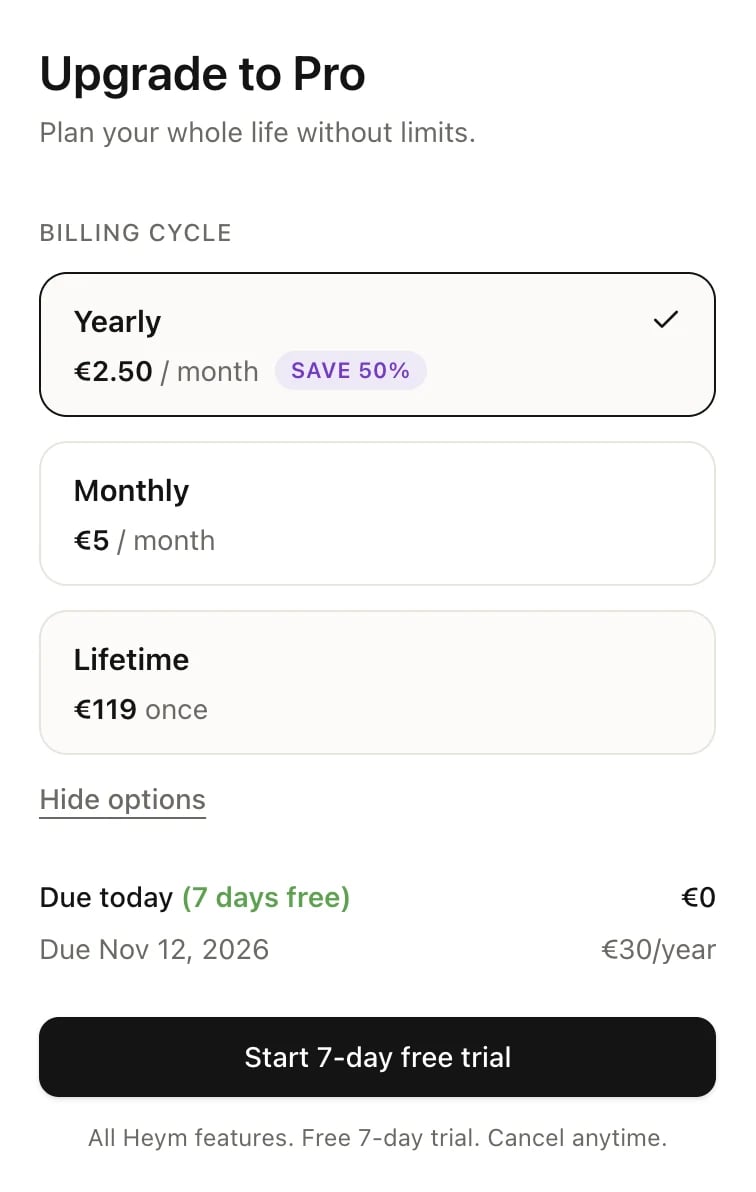
The upgrade window, with More options open
Lifetime
Lifetime is one payment of €119 for every Pro feature, with no renewals. Heym never charges you for it again. Lifetime lasts for as long as Heym runs. § 7 of the terms of service has the details. When you pick Lifetime in the upgrade window, it says Excludes paid third-party integrations. Point at the question mark next to it for the details: every Pro feature is included, now and in the future. What’s not included are paid third-party services Heym might connect to later (like advanced AI providers) that bill Heym a recurring fee per user. Those would be optional add-ons, and you’ll never need them for Heym’s core features. Already paying monthly or yearly? You can switch to Lifetime from Settings → Subscription. You then cancel your old subscription yourself, so it stops renewing. See Switch to Lifetime.When you reach a Free limit
On Free, when you try to create a fourth goal (or a fourth project, a fourth habit, a 21st note or a tenth life area), Heym doesn’t create it. A window shows You’ve reached your Free plan limits. with your usage next to what Pro includes. Click Try Pro for free (or Upgrade to Pro if you’ve had a trial before), or Maybe later to close it. Saved views, the Pomodoro timer and sharing work the same way. On Free, trying one of them opens a window that names it, for example Pomodoro timer is a Pro feature.Sharing on the Free plan
Sharing needs Pro on both sides: to share a life area, goal or project, and to accept an invitation. On Free you can still decline an invitation or leave something that was shared with you. What you shared, and the invitations you accepted while you had Pro, keep working. See Sharing and your plan.When you have more than Free allows
This happens when Pro ends and you go back to Free, for example after you cancel or a trial ends. Heym never deletes anything because of your plan. Instead, the items beyond the limit become read-only:- Archived items are the first to become read-only, then the oldest ones. Your newest items stay editable.
- A read-only item shows a banner at the top: This goal is read-only because it’s over your Free plan limit. (or project, habit, note or life area), with an Upgrade to Pro button.
- You can still open and read a read-only item, and you can delete it. You can’t change it, and you can’t complete a read-only goal.
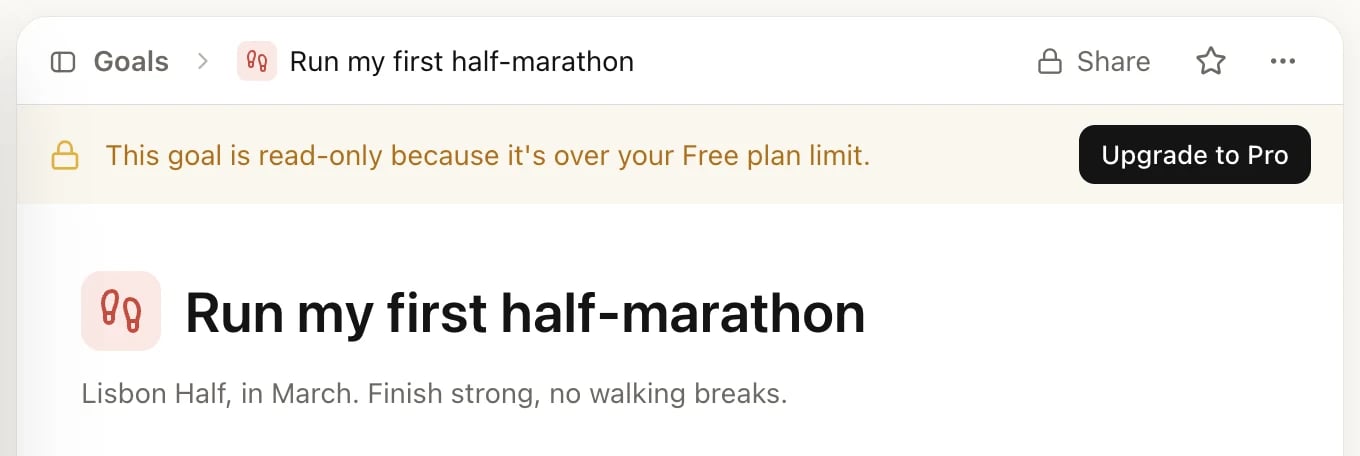
A goal that's over the Free limit
Related
Manage Pro
Start the free trial, switch billing cycles, or cancel.
Invoices and refunds
Find your invoices and ask for a refund.
Goals
Set goals and subgoals and track progress.
Notes
Write notes and attach files.