

Write to support
Email support@heym.app about a problem, a question about your plan or billing, or anything about your account. Write from the email address you sign in to Heym with, or tell us that address, so we can find your account. To see it, click your name at the top of the sidebar: it’s the first line of the menu.What to include
- What you tried to do, and what happened instead. Copy any message Heym showed, word for word.
- The steps that lead to it, so we can make it happen too.
- Where it happened: in a browser (which one) or in the Mac app. For the Mac app, add its version: choose Heym → About Heym in the menu bar.
- Your computer: Mac or Windows, and its system version.
- A screenshot or a short screen recording. On a Mac, press ⇧⌘5.
Send an idea or a feature request
Click your name at the top of the sidebar, then Send feedback. Heym’s feedback page opens in your browser.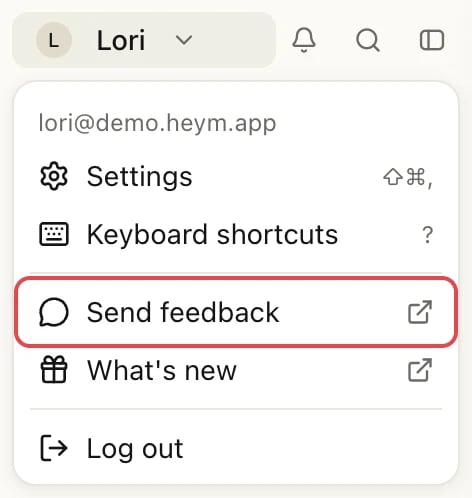
See what’s new
In the same menu, What’s new opens the list of Heym releases at heym.app/releases.Related
Can't sign in
Email links, codes and a second account.
Missing reminders
A checklist for missing notifications.
Out of date
Reload, update and check your account.
Invoices and refunds
Receipts, invoices and asking for a refund.